The best AI ad creative tools in 2026, compared step by step
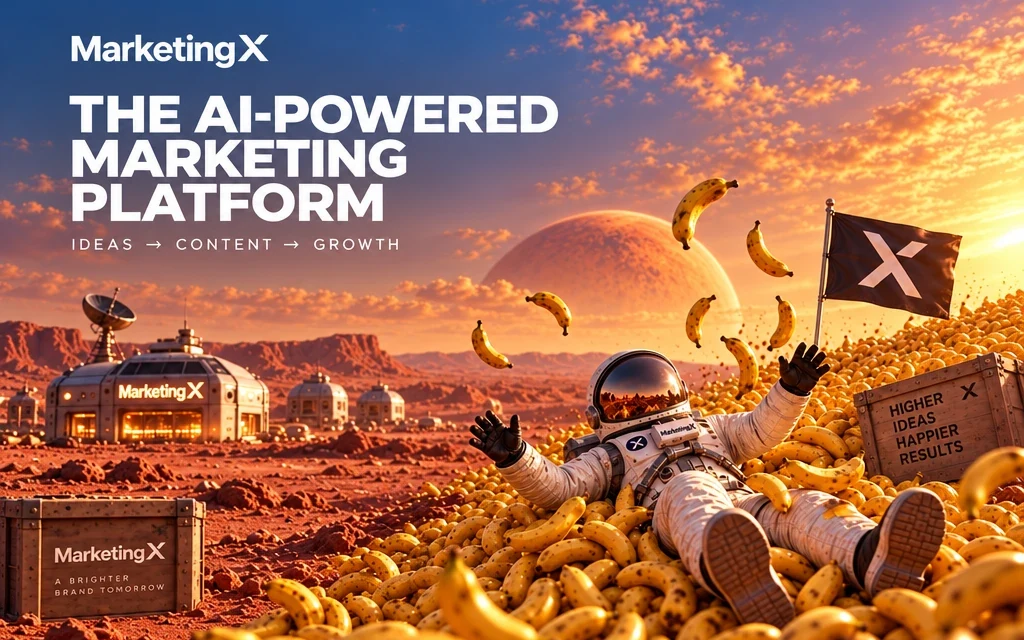
Nine AI ad tools compared across the eight steps of making a performance ad, from competitor research to launch, using each company's own public pages.
Short answer: no single AI tool is best at every step of making an ad. SocialPeta has the deepest market intelligence. Artlist and Magnific have the biggest creative libraries. Arcads and Creatify have the largest casts of AI actors. Higgsfield moves fastest on new video workflows. MarketingX covers the whole line in one workspace, from the competitor ad you spot to the campaign you launch on Meta, with a low-cost draft tier so you can test more ideas on the same budget. Which one fits depends on which step slows your team down today.
This guide compares nine tools across the eight steps of making a performance ad. Every claim comes from each company's own public pages, checked on 9 October 2026. Where a company says nothing about a feature, we say that, rather than guessing.
Which tool fits which need?
If you only read one section, read this one.
| If you need | Look at first | Why |
|---|---|---|
| The deepest view of what competitors spend and run | SocialPeta | Says it covers 1.7B+ creatives across 80+ countries and 20 ad platforms, with estimated spend, downloads and revenue. |
| Licensed music, footage and a broad creator suite | Artlist | Licensed stock music, SFX and footage next to AI generation, dubbing in 175+ languages and a timeline editor. |
| A huge asset library and strong upscaling | Magnific (formerly Freepik) | Says it has 250M+ assets, a layered Designer, and is known for enhancement and upscaling. |
| A large cast of AI actors for UGC | Arcads or Creatify | Arcads lists 1,000+ AI actors. Creatify lists 1,500 on its Pro plan. |
| Cinematic control and an API or MCP connection | Higgsfield | Cinematic camera controls, a collaborative Canvas, Ad Multiplier, and an MCP connector and API. |
| Agency campaign operations and invoicing | Advermind | Bulk campaign setup, KPI tracking, budget optimization, reporting and invoicing. |
| A mobile app for quick creator work | DaVinci | iOS and Android apps, 50+ models and consumer tools such as logo and avatar generators. |
| Research, creation, editing, localization and launch in one place, on a test budget | MarketingX | Ad Spy, every major image and video model, UGC and hooks, hands-on image and video editors, translation and resizing, and launch to Meta, on one credit balance. |
Where is MarketingX strongest?
MarketingX is built for performance teams that test many ideas and ship the winners fast. These are the parts of the line where that shows most.
| Strength | What it means for your ads | Where it lives |
|---|---|---|
| One line from research to launch | The competitor ad, its remake, the edit, the translation and the launch stay in one project. Nothing is exported between steps. | Ad Spy through Campaign |
| A low-cost draft tier | KoiX Image costs a seventh to a fourteenth of the premium image models next to it. KoiX Pro costs about a tenth of Seedance 2.5. Test wide, then finish only the winners. | KoiX Image and KoiX Pro, beside every premium model |
| Hooks built for testing | One press writes and renders three openers, each with a different tactic. A hook test starts as a shortlist, not a guess. | Instant Hook |
| Hands-on editors for image and video | Layers, a vector pen and text styles for stills. A multi-track timeline, auto-subtitles and 4K export for video. AI does the heavy lifting, and you keep the last word. | Canvas and Video Editor |
| Localization that fits the layout | Translated copy is reflowed to fit, right-to-left scripts read correctly, every placement is sized and every file is named for your library. | Bulk Localize and Resize |
| The cost before every run | The Generate button prices the whole run, and every model draws on one credit balance. | Every tool |
| A free start | A Free plan, with no credit card needed. | Sign up |
How did we compare the tools?
We read each company's product pages, pricing pages and help center articles, all on 9 October 2026. We did not test logged-in products or read private roadmaps.
Each tool gets one of three marks per step:
- Built in: the company's public pages document the feature clearly.
- In part: something adjacent or narrower is documented.
- Not in public docs: we found no public documentation. That does not prove the feature is missing. Products change quickly, and some features live behind a login.
This is a map of what each tool covers, not a quality score. A tool can cover a step and still be the wrong fit for how you work.
A note on names: DaVinci here means davinci.ai, the AI creator app, not DaVinci Resolve, the video editing software.
What are the eight steps of making a performance ad?
Most ad teams run some version of the same line, whatever they call it:
- Spy on competitor ads. See what is running in your category right now.
- Spot trends and angles. Find the hook or format that is rising before everyone copies it.
- Generate images and video. Turn the angle into first drafts with AI models.
- Make UGC and hooks. Produce creator-style clips and many opening lines to test.
- Edit images by hand. Fix the layout, the type, the product placement.
- Edit video on a timeline. Cut, caption, add voice-over, assemble the final spot.
- Translate and resize. Ship the winner in every language and every placement.
- Launch. Push the finished set to the ad platform.
When these steps live in different tools, every handoff costs time: export, download, upload, rename, re-explain the brief. The table below shows where each tool sits on that line.
Which tool covers which step?
| Spy on ads | Trends and angles | Image and video models | UGC and hooks | Image editor | Video timeline | Translate and resize | Launch | Steps built in | |
|---|---|---|---|---|---|---|---|---|---|
| MarketingX | Built in | Built in | Built in | Built in | Built in | Built in | Built in | Built in (Meta) | 8 of 8 |
| Creatify | Built in | Built in | Built in | Built in | In part | Built in | Built in | Built in | 7 of 8 |
| Higgsfield | Not in public docs | In part | Built in | Built in | Built in | In part | Built in | Not in public docs | 4 of 8 |
| Arcads | In part | In part | Built in | Built in | In part | In part | Built in | Not in public docs | 3 of 8 |
| Artlist | Not in public docs | Not in public docs | Built in | In part | Built in | Built in | Built in | Not in public docs | 4 of 8 |
| Magnific | Not in public docs | Not in public docs | Built in | In part | Built in | Built in | In part | Not in public docs | 3 of 8 |
| SocialPeta | Built in | Built in | In part | In part | Not in public docs | Not in public docs | In part | Not in public docs | 2 of 8 |
| DaVinci | Not in public docs | Not in public docs | Built in | In part | In part | In part | Not in public docs | Not in public docs | 1 of 8 |
| Advermind | Not in public docs | Not in public docs | Not in public docs | Not in public docs | Not in public docs | Not in public docs | Not in public docs | Built in | 1 of 8 |
Two patterns stand out. Creative tools such as Artlist, Magnific, Higgsfield and DaVinci start at generation, so the research happens somewhere else. Intelligence tools such as SocialPeta stop at the signal, so the making happens somewhere else. MarketingX and Creatify are the two tools in this set that publicly cover both ends, and MarketingX is the one with all eight steps built in.
The rest of this guide walks through each step.
Step 1: Who helps you spy on competitor ads?
Good ad research answers three questions fast. What is running in my category? Which ads have been running long enough to be working? Which of them is worth remaking for my product?
SocialPeta is the deepest here, by a wide margin. It says it covers 1.7B+ creatives across 80+ countries and 20 advertising platforms, and it adds estimated spend, app downloads and revenue. If your job is market intelligence across many networks, it is built for that.
Creatify has a Competitor Ad Tracker that it says covers 10M+ Meta ads, connected to its Ad Clone feature.
Arcads has no tracker of its own, but an official skills plugin adds competitor ad lookup through its MCP connector.
MarketingX has Ad Spy, which browses Meta ads by page. The difference is what happens next. You save the ad to your board, and the same workspace can remake it with your product, your character or your offer, without exporting anything. Ad Spy covers Meta today, so if you need TikTok or Google research, pair it with a dedicated intelligence tool.
The creative suites in this set, Artlist, Magnific, Higgsfield and DaVinci, do not document competitor ad research.
| Tool | Coverage it publishes | What happens after you find an ad |
|---|---|---|
| MarketingX | Meta ads, browsed by page | Save it to a board, then remake it with your product, character or offer in the same workspace. |
| Creatify | 10M+ Meta ads | Ad Clone remakes it inside Creatify. |
| SocialPeta | 1.7B+ creatives, 80+ countries, 20 ad platforms, with estimated spend, downloads and revenue | Research only. The ad is made in another tool. |
| Arcads | Lookup through an MCP skills plugin | Made in Arcads, once you bring the reference over. |
| Artlist, Magnific, Higgsfield, DaVinci | Not in public docs | Research happens in another tool. |
Step 2: Who helps you spot trends and angles?
Spying shows you single ads. Trend work shows you patterns: the hook that five brands started using last week, the format that is suddenly everywhere.
SocialPeta again leads on breadth, with market signals and rankings on top of its creative library.
Creatify documents trend and angle discovery next to its tracker.
MarketingX surfaces rising formats and angles in the same place you brief and generate, so a trend becomes a draft in the same session. Higgsfield and Arcads document narrower versions of this step.
Step 3: Who generates the images and video?
This is where the market has converged. Nano Banana Pro, for example, is available on every generation platform in this set. Model access alone is no longer a reason to choose a tool.
What still differs is how a tool helps you spend on models.
Most of the images and clips you make for an ad never ship. They are the angles, backgrounds and hooks you try before one is obviously right. If every one of those tries runs on a premium model, you try fewer ideas.
MarketingX splits the work into a draft stage and a finish stage. KoiX Image and KoiX Pro are low-cost models for drafts. Premium models such as Nano Banana Pro, GPT Image 2, Seedream 5.0 Pro, Seedance 2.5, Veo 3.1 Fast and Kling 3.0 sit next to them for the finish. The cost of every run shows before you press Generate.
What does a draft cost next to a premium finish?
From our own benchmarks, at each model's default settings in MarketingX, October 2026:
| Image model | Price per image (KoiX Image = 1×) | KoiX drafts for the price of one image |
|---|---|---|
| KoiX Image | 1× | 1 |
| Seedream 5.0 Pro | 7× | 7 |
| GPT Image 2 | 7× | 7 |
| Nano Banana 2 | 8× | 8 |
| Nano Banana Pro | 14× | 14 |
Prices compare one 1K image at each model's default settings. GPT Image 2 changes price with its quality setting.
| Video model | Price per clip (KoiX Pro = 1×) | KoiX Pro clips for the price of one |
|---|---|---|
| KoiX Pro | 1× | 1 |
| Kling 3.0 | 2.5× | 2.5 |
| Veo 3.1 Fast | 3× | 3 |
| Seedance 2.5 | 9.5× | 9.5 |
Prices compare a five second 720p clip with sound, at each model's list price.
In practice, the budget of four Nano Banana Pro images buys about fifty KoiX Image drafts, and the price of one Seedance 2.5 clip buys about nine KoiX Pro clips. The full tests, with every render side by side, are in Test 50 ad image concepts for the price of 4 and KoiX Pro vs Seedance 2.5, Veo 3.1 Fast and Kling 3.0.
Other tools have low-cost tiers too. Artlist, Magnific, Higgsfield and Arcads all document cheaper models or allowances, and Arcads gives 100 free images a day on selected models. Higgsfield publishes approximate dollar prices per image, which makes budgeting easy. The question to ask any tool is the same: can I run the exploration cheaply and move only the winners to a premium model, in the same project?
Step 4: Who makes UGC and hooks?
UGC ads sell on faces, hands and a natural reaction. Hooks sell on the first two seconds. Both need volume, because you rarely know which one works until it runs.
Arcads is a UGC specialist with 1,000+ AI actors, custom actors and voice cloning on its Pro plan. Creatify lists 1,500 AI actors on Pro and 300 on Starter, plus custom avatars. If the size of the cast is your main need, those two lead.
Higgsfield offers an avatar library with Soul ID custom avatars, and its Ad Multiplier keeps a winning ad's edit, pacing and audio while it swaps characters, outfits, locations, hooks or calls to action.
MarketingX keeps UGC and hooks next to the rest of the line:
- UGC Studio for creator-style ads with reusable characters and custom voices.
- Instant Hook for writing and producing many opening lines to test against one body.
- Multitalk for two-speaker talking videos, such as a friend recommending a product to a friend.
- Motion Control for moving a character the way a reference clip moves.
Because these sit in the same workspace as Ad Spy and the editors, a hook test can start from a competitor ad and end as a finished, captioned cut.
| Tool | AI actors | Custom characters and voices | Hook generation | Two-speaker video | Motion control |
|---|---|---|---|---|---|
| MarketingX | Character library | Built in | Built in | Built in | Built in |
| Arcads | 1,000+ | Built in, voice cloning on Pro | Built in | In part | Built in |
| Creatify | 1,500 on Pro, 300 on Starter | Built in | Built in | In part | In part |
| Higgsfield | Avatar library, Soul ID | Built in | Built in | In part | Built in |
| Artlist | Through HeyGen, OmniHuman and other models | Built in | Not in public docs | In part | In part |
| Magnific | Custom-trained characters | Built in | Not in public docs | In part | In part |
The cast is bigger at Arcads and Creatify. MarketingX is the tool in this set with all four UGC formats built in, so a creator clip, a hook test, a two-person scene and a motion remake all come from one place.
Step 5: Who lets you edit images by hand?
AI edits are fast. Hands-on edits are exact. Most ad images need both: an AI clean-up, then a person who moves the logo four pixels to the left.
Magnific has the strongest general image editor in this set. Its Designer documents layers, typography, SVG, filters, effects, blend modes, PSD import, Auto Layers and an agent that edits by instruction. Artlist documents layer-by-layer editing too: move, hide, resize, reorder, remove or prompt-edit each element. Higgsfield offers brush and mask inpainting, object removal, relight, expand and layer separation.
MarketingX has Canvas: layers, frames, a vector pen and brush, shapes, text styles, components and templates, plus AI tools for background removal, clean-up, Magic Edit, outpaint, upscale and vectorize. Image Edit adds prompt-only edits when you do not need the full canvas.
The difference is not that others lack editors. Several have good ones. The difference is that in MarketingX, the image you edit is the one you just generated from a competitor reference, and the next step after editing is translation and launch, in the same project.
Creatify, Arcads and DaVinci document AI image tools, but not a full layered editor.
Step 6: Who lets you edit video on a timeline?
A prompt can change a clip. A timeline builds an ad: hook, body, product shot, offer, end card, captions, voice-over, music.
Artlist has Studio Editor, with shots on a timeline, trim, split, AI extend and a Premiere Pro plugin. Magnific has a Video Project Editor with one video and one audio track, transitions, 4K export, and per-clip grading and stabilization. Creatify documents a web editor with multiple tracks, plus Quick Edit for avatar, voice, music, captions and aspect ratio. Creatify is the closest ad-focused rival on video editing.
Higgsfield and DaVinci lean on prompt-based video transformation. Arcads offers Kling-based add, swap and remove edits on the first ten seconds of a clip, plus caption, trim, stitch and merge tools.
MarketingX has a multi-track Video Editor with split, trim, speed, fades and transitions, auto-subtitles with caption templates, voice-over, chroma key and AI background removal, with export up to 4K. Reframe, Extend, Translate and Upscale run as separate tools in the same workspace.
The editors side by side
| Tool | Hands-on image editing | Hands-on video editing | Research and launch in the same place |
|---|---|---|---|
| MarketingX | Canvas: layers, frames, vector pen and brush, text styles, components, eight AI tools | Video Editor: multi-track timeline, auto-subtitles, voice-over, chroma key, 4K export | Yes |
| Creatify | AI image tools, no layered editor documented | Multi-track web editor, Quick Edit | Yes |
| Magnific | Designer: layers, typography, SVG, PSD import, Auto Layers | One video and one audio track, transitions, 4K export | No |
| Artlist | Layer-by-layer editing | Studio Editor timeline, Premiere Pro plugin | No |
| Higgsfield | Inpainting, object removal, relight, layer separation | Prompt-based; no conventional timeline documented | No |
| Arcads | Background removal, skin enhancer, upscale | Edits on the first 10 seconds of a clip, caption, trim, stitch | No |
Magnific and Artlist have strong editors, but research and launch happen elsewhere. Creatify connects research and launch, but documents no layered image editor. MarketingX has a hands-on editor for both stills and video between Ad Spy and launch.
Step 7: Who translates and resizes the winner?
Once an ad works in one market, the fastest growth is usually the same ad in more languages and more placements.
On raw language count, others lead. Artlist dubs in 175+ languages. Creatify supports 75+. Arcads translates into 30+. Higgsfield translates video into 18 languages with lip sync.
MarketingX dubs video into 29 languages and localizes static ads into 14 languages across 5 placements. Where it differs is what happens around the translation. A translated headline is often longer than the original, and an Arabic or Hebrew ad reads right to left. Bulk Localize and Resize reflows the copy to fit each layout, handles right-to-left text, sizes each placement and names the exported files so they drop into your asset library in order. One winning ad becomes a full language-by-placement set in one run.
| Tool | Languages | Copy reflow and right-to-left | Every language and placement in one run |
|---|---|---|---|
| MarketingX | 29 for video dubbing, 14 for static ads across 5 placements | Built in | Built in |
| Artlist | 175+ for dubbing | Not in public docs | In part |
| Creatify | 75+ | In part | Built in |
| Arcads | 30+ | Not in public docs | In part |
| Higgsfield | 18, video with lip sync | In part | In part |
| Magnific | Not in public docs | In part | In part |
If you need a rare language, check Artlist or Creatify first. If you need the same twelve markets every week, in every size, with files your team can find, the layout work matters more than the count.
Step 8: Who launches the ads?
Creatify has the broadest launch documented in this set: an Ad Launcher for Meta, TikTok and AppLovin, plus a Performance Agent that connects ad accounts across 10+ platforms, audits performance and feeds the next round of creative.
Advermind is built for agency operations: media planning, bulk campaign setup, KPI and ROI tracking, budget optimization, reporting and invoicing. It does not document AI creative tools, so you would pair it with a creative platform.
MarketingX launches finished ads to Meta from Campaign, the same workspace where they were made. TikTok, AppLovin and Google Ads are coming. Campaign is set up with our team rather than switched on from a plan, so talk to us if launch is part of your workflow.
The creative suites in this set do not document campaign launch.
| Tool | Launches to | Makes the creative too | Performance analytics |
|---|---|---|---|
| MarketingX | Meta, with TikTok, AppLovin and Google Ads coming | Yes, in the same workspace | Not yet |
| Creatify | Meta, TikTok, AppLovin | Yes | Performance Agent, 10+ integrations |
| Advermind | Bulk campaign setup | No AI creative documented | KPI and ROI tracking, budget optimization, reporting |
| Artlist, Magnific, Higgsfield, Arcads, SocialPeta, DaVinci | Not in public docs | Varies | Not in public docs |
Which tools work from Claude or ChatGPT?
More teams now brief their AI assistant first and open the creative tool second. An MCP connector lets the assistant use the tool directly: look things up, start a generation, pick up the result.
Higgsfield, Magnific, Artlist (in beta), Arcads and Creatify all document MCP connectors, and most of them also offer generation APIs.
MarketingX has an MCP connector for Claude and ChatGPT. From a chat, you can search competitor ads, check what is trending, generate images, video, voice-over and UGC on any model in your plan, write hooks and pull from your library, all in the workspace your team already uses. Credits come from the same balance, and the cost shows before anything runs. MarketingX does not have a public API yet.
| Tool | MCP connector | Developer access |
|---|---|---|
| MarketingX | Claude, ChatGPT | No public API yet |
| Creatify | Claude, ChatGPT | API |
| Higgsfield | Claude, ChatGPT | API |
| Magnific | Claude, ChatGPT, Cursor and others | REST API, ComfyUI plugin |
| Artlist | Claude, ChatGPT, VS Code (beta) | Music API, Premiere Pro plugin |
| Arcads | Claude | AI Video API, Lip Sync API |
What sets the MarketingX connector apart is reach: from one chat it can use Ad Spy, trends, every generation model, UGC, hooks and your library, so the assistant works across the whole line, not only the generation step.
What else should you check?
Beyond the eight steps, a few everyday details decide how a tool feels after the first week. Here is how the six closest creative platforms document them.
| MarketingX | Creatify | Higgsfield | Arcads | Artlist | Magnific | |
|---|---|---|---|---|---|---|
| Cost shown before you generate | Built in | In part | Built in | Built in | Built in | Built in |
| Remake a reference ad | Built in | Built in | Built in | In part | In part | In part |
| Batch variations of one ad | Built in | Built in | Built in | Built in | In part | In part |
| Reusable node workflows | Built in | Built in | Built in | Built in | Built in | Built in |
| Re-run one workflow step | Built in | Built in | Built in | Built in | Built in | In part |
| Shared workspace and credits | Built in | Built in | Built in | Built in | Built in | Built in |
| Free start, no card | Built in | Built in | Built in | In part | Built in | Built in |
How do the platforms compare at a glance?
MarketingX
- Best for: performance teams that want research, creation, editing, localization and launch in one workspace, with room to test many ideas.
- Strongest at: the connected line from Ad Spy to launch, the KoiX draft tier, hands-on Canvas and Video Editor, layout-aware localization, and an MCP connector for Claude and ChatGPT.
- Think twice if: you need a public API, launch to TikTok or Google today, or performance analytics on your own ads. None of these are public yet.
Creatify
- Best for: teams that want an ad-focused platform with a large AI actor cast and launch across several networks.
- Strongest at: a 10M+ Meta ad tracker, Ad Clone, 1,500 AI actors on Pro, 100+ models, 75+ languages, MCP and API, launch to Meta, TikTok and AppLovin, and a Performance Agent.
- Think twice if: you need a full layered image editor, or want to explore on a published low-cost draft tier.
Higgsfield
- Best for: creators and teams who want cinematic control and new video workflows early.
- Strongest at: cinematic camera controls, the URL-to-ad Marketing Studio, Ad Multiplier, a live-collaboration Canvas, MCP and API.
- Think twice if: you need competitor ad research, a conventional multi-clip timeline or campaign launch. It also states it has no mobile apps.
Arcads
- Best for: UGC-heavy teams that want a large actor cast and developer access.
- Strongest at: 1,000+ AI actors, custom actors and voice cloning, node workflows, translation into 30+ languages, MCP and APIs, 100 free images a day on selected models.
- Think twice if: you want a layered image editor or a full video timeline in the same place.
Artlist
- Best for: creators and studios who want licensed music and footage next to AI generation.
- Strongest at: licensed stock music, SFX and footage, dubbing in 175+ languages, a layered image editor, the Studio timeline editor, Flows, an MCP connector in beta and a Premiere Pro plugin.
- Think twice if: your work starts from competitor ads or ends in a launched campaign.
Magnific (formerly Freepik)
- Best for: designers who want the broadest asset library and the strongest general image editor.
- Strongest at: 250M+ assets, enhancement and upscaling, the Designer editor, node-based Spaces, MCP, a REST API and a ComfyUI plugin.
- Think twice if: you need ad research, UGC at volume or campaign launch. It is a general creative ecosystem, not an ad workflow.
SocialPeta
- Best for: user acquisition and market intelligence teams.
- Strongest at: 1.7B+ creatives, 80+ countries, 20 ad platforms, estimated spend, downloads and revenue.
- Think twice if: you also need to make the ads. It is an intelligence platform, not a production tool.
DaVinci
- Best for: individual creators who want AI generation on their phone.
- Strongest at: iOS and Android apps, 50+ models, prompt-driven image and video edits, consumer tools such as logo and avatar generators.
- Think twice if: you need ad research, UGC workflows, localization or launch. Audio generation is still marked as coming soon.
Advermind
- Best for: agencies running many campaigns for many brands.
- Strongest at: media planning, bulk campaign setup, KPI and ROI tracking, budget optimization, reporting and invoicing.
- Think twice if: you need to make the creative. It does not document AI creative tools.
Which tool fits which team?
A solo marketer or founder. You need to go from idea to running ad without five subscriptions. Look for one place that covers research, generation, simple editing and launch, with a free way to start. MarketingX and Creatify both fit. If your ads are mostly music-led video, Artlist's library is worth a look.
An app studio's user acquisition team. You test hooks every week and ship winners in many markets. Intelligence matters, so SocialPeta is a strong research layer. For making and localizing the variants, look for a cheap draft tier and language-by-placement output. MarketingX was built around that loop.
A creative or performance agency. You need many brands, many hands and clean handoffs. Shared workspaces and credits matter, as do editors your designers trust. MarketingX, Creatify, Artlist and Magnific all document shared workspaces. If campaign operations and invoicing are the bottleneck, Advermind covers that side.
A DTC brand team. You remake what works in your category, with your own product and your own creators. Ad Spy plus reusable characters plus a hands-on editor is the core loop. Compare MarketingX, Creatify and Arcads on how close the remake gets to your real product.
What should you ask in a trial?
Run the same small test in every tool you shortlist:
- Find one competitor ad in your category. Can you get it into the tool without screenshots?
- Make ten variants of one idea. What did that cost, and did you see the cost before you pressed Generate?
- Fix one image by hand: move the product, change the headline font. Could you?
- Cut a fifteen second video with a hook, captions and an end card. Did you need to export to another editor?
- Ship the winner in three languages and two placements. How long did it take, and did the copy fit?
- Launch it. Did you need to download anything?
The tool that needs the fewest exports is the one your team will still be using in six months.
Questions people ask
What is the best AI tool for making ads?
It depends on the step that slows you down. For market intelligence, SocialPeta goes deepest. For a large AI actor cast, Arcads and Creatify lead. For licensed music and footage, Artlist. For the whole line from competitor research to launch in one workspace, with a low-cost draft tier, MarketingX.
Is there an alternative to Creatify?
Yes. MarketingX covers the same research-to-launch line, with a layered image editor in Canvas, a published low-cost draft tier in KoiX, and language-by-placement localization. Creatify currently documents more launch networks, a larger actor cast, an MCP connector and an API.
Is there an alternative to Arcads?
If you need UGC plus research, editing and launch in the same place, MarketingX covers UGC Studio, Instant Hook and Multitalk next to Ad Spy, Canvas, the Video Editor and Campaign. If the size of the AI actor cast is your main need, Arcads and Creatify lead.
Which AI ad tools include competitor ad research?
In this set, SocialPeta, Creatify and MarketingX document competitor ad research. Arcads offers lookup through an MCP plugin. Artlist, Magnific, Higgsfield and DaVinci do not document it.
Which tools have MCP connectors or APIs?
MarketingX, Higgsfield, Magnific, Artlist (in beta), Arcads and Creatify all have MCP connectors. Most of the others also offer generation APIs. MarketingX does not have a public API yet.
How much cheaper is KoiX than premium models?
In our October 2026 tests, KoiX Image costs about a seventh to a fourteenth of the premium image models it sits next to, and KoiX Pro costs about a tenth of Seedance 2.5, a third of Veo 3.1 Fast and less than half of Kling 3.0. Use it for drafts and finish the winners on a premium model.
Can I try MarketingX for free?
Yes. MarketingX has a Free plan, and you do not need a credit card to start.
How current is this comparison?
Every claim was checked against public pages on 9 October 2026. AI tools change monthly, so we will refresh this guide every quarter. If something here is out of date, tell us at hello@marketingx.ai and we will fix it.
Start with the step that slows you down most. Try MarketingX free.